How to Compress PDF Files and Heavy Images to Fit Email Caps
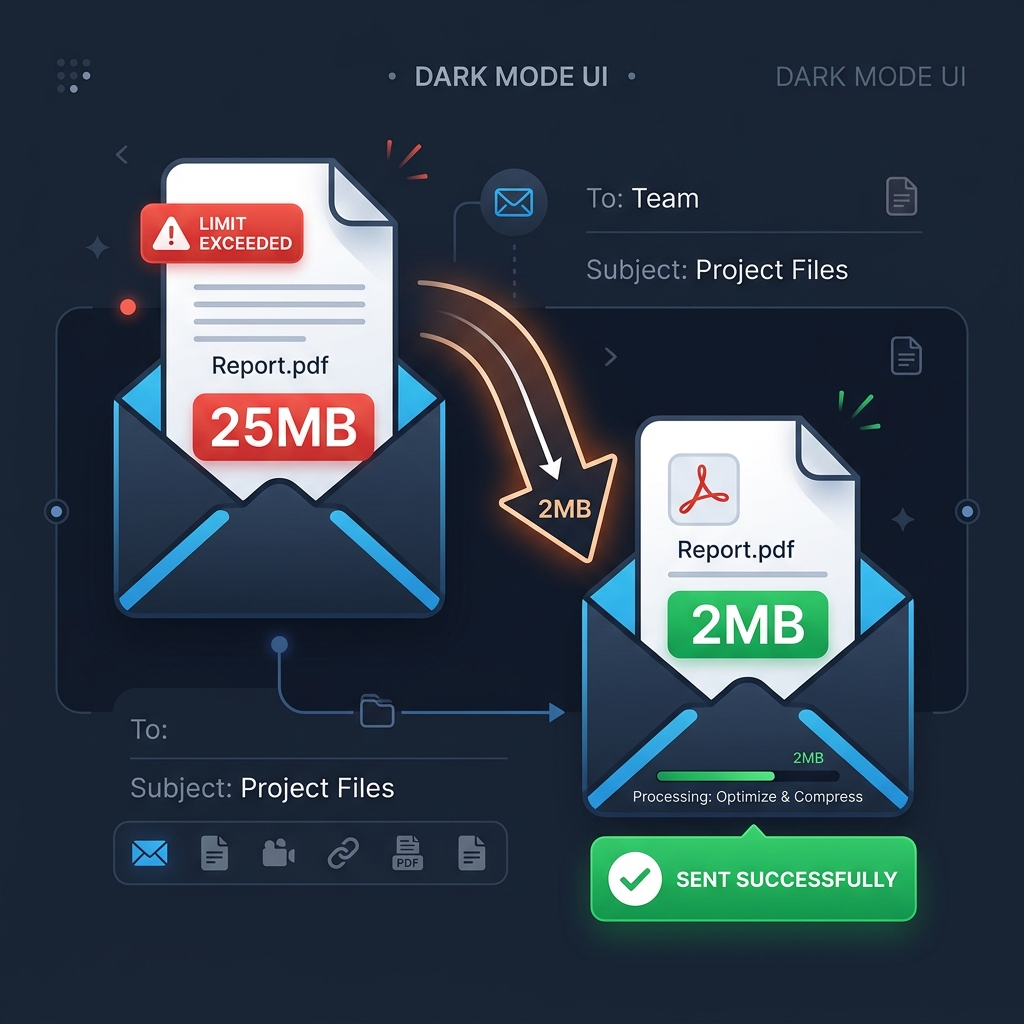
Most email providers enforce a strict 25MB attachment limit. If you try to send multiple high-resolution photos or a multi-page PDF document, your email will bounce. This guide explains how to compress heavy files to fit within email limitations without losing text legibility.
👉 Try our free image compressor — free, no upload, works in your browser instantly.
1. Email Attachment Ceilings
Gmail, Yahoo, and Outlook restrict attachments to 20MB-25MB. To send files successfully, you must compress your images and PDFs before attaching them.
2. Compressing PDFs and Downscaling DPI
PDF sizes are driven by high-resolution embedded images. Reducing image resolution to 150 DPI significantly reduces file sizes while keeping text clean and readable.
3. Email Attachment Constraints and Size Limits
Most major email services (such as Gmail, Outlook, and Yahoo) enforce a strict 25MB size limit for attachments. This limit applies to the combined file size of all attachments, and exceeding it causes the email server to block delivery or store the files in Google Drive or OneDrive instead. However, because emails encode attachments to base64 before transmission, the file weight actually increases by approximately 33%. A 20MB file will end up exceeding the 25MB boundary during sending. To prevent delivery failure, compress your images and PDFs under 10MB before sending them.
This encoding overhead is an inherent part of the Multipurpose Internet Mail Extensions (MIME) protocol. Base64 translates binary data into ASCII text characters, using 4 bytes of text to represent every 3 bytes of original binary data. Consequently, a document that appears perfectly fine on your local hard drive can easily trigger a mail server rejection. Understanding this mathematical overhead is crucial for businesses sending high volumes of digital invoices, slide decks, or scanned agreements to clients, preventing delivery errors.
4. How to Compress PDF Pages in Your Browser
Compressing PDF files locally can be done by adjusting resolution and image assets inside the document structure. PDF files often contain large uncompressed image scans that bloat the document. By rendering PDF pages onto a canvas, optimizing the pixel density, and compiling them back into a compressed format, you can shrink file size by up to 80%. Our client-side document tool handles this optimization process locally using JavaScript libraries, ensuring your private reports, invoices, and resumes are processed securely without cloud exposure.
By performing PDF optimization client-side, we bypass the need to transmit document streams over public internet channels. This eliminates the risk of man-in-the-middle attacks or server-side data leaks. The local compiler reads the binary PDF structure, downsamples internal image objects using HTML5 canvas buffers, and compiles a new PDF payload. This method guarantees that financial summaries, legal forms, and confidential project proposals remain entirely private on your device, avoiding compliance risks.
5. Core Benefits of Compressing Media Attachments
Beyond avoiding server blocks, optimizing your PDF and image attachments saves bandwidth for both you and your recipients. Mobile users reading emails on limited cellular networks will appreciate fast download times and reduced data usage. Compressed files also load faster on built-in viewer cards, saving storage space on mobile devices and keeping inbox storage limits under control.
Additionally, smaller attachments lower the carbon footprint associated with data transmission and storage. Global data centers consume vast amounts of electricity to host and replicate bulky email attachments across multiple backup nodes. By adopting a habit of pre-compressing all document attachments, you contribute to digital sustainability, improve communication efficiency, and ensure that your messages are processed by recipient mailboxes without delay, facilitating smooth data sharing.
6. The Security Architecture of Local Client-Side Processing
Unlike traditional online image utilities that require uploading private assets to cloud servers, TinyImagefy performs all file calculations directly inside the user's browser runtime memory. By utilizing modern web APIs such as the HTML5 Canvas API, the File Reader API, and WebAssembly (WASM) modules, the website parses binary image streams locally. This serverless execution model eliminates transmission overhead, making it impossible for malicious entities or database leaks to compromise your personal documents, photography portfolio, or sensitive ID scans. All operations execute strictly within the local browser sandbox, providing enterprise-grade security for everyday workflows.
7. Compliance and Regulatory Benefits of Serverless Tools
Processing media assets locally aligns perfectly with strict international data protection regulations, including the General Data Protection Regulation (GDPR) in Europe and the California Consumer Privacy Act (CCPA) in the United States. Since no image files, EXIF headers, or metadata profiles are uploaded, stored, or processed on remote server arrays, TinyImagefy acts as a passive container. This means businesses, developers, and photographers can sanitize their visual assets, strip GPS coordinates, or crop passport photos without worrying about data processing agreements or regulatory compliance issues. Keeping your files offline is the ultimate way to maintain data sovereignty in a hyper-connected digital landscape.
Frequently Asked Questions
Yes — 100% free, unlimited, no signup. All tools work forever at no cost.
Never. Everything runs in your browser. Your files never leave your device.
JPG, PNG, WebP, AVIF, HEIC, BMP, GIF, SVG, TIFF, and PDF — across 30+ tools.
Yes — works perfectly on iPhone, Android, tablet, and desktop browsers.
The TinyImagefy team builds privacy-first browser tools for image processing. All tools run 100% locally — no uploads, no servers, no tracking. We've helped millions of users compress, convert, and edit images safely since 2024.
About Us →