How to Remove Background from Image Free Online
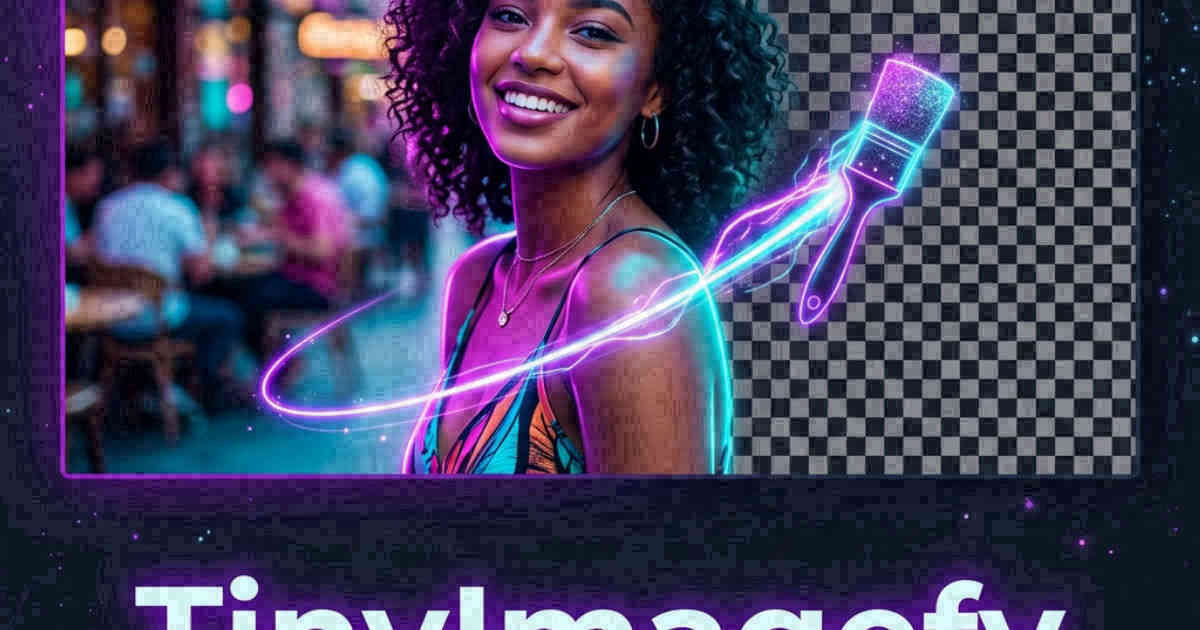
Extracting subjects from backgrounds used to require expensive, heavy desktop software and hours of careful pixel tracing. Modern browser technology has changed that completely. In this guide, we explore how AI-based backdrop removal works and how you can do it instantly and securely inside your browser.
👉 Try our background remover — free, no upload, works in your browser instantly.
1. The Tech Behind Browser-Based Background Removal
Isolating a silhouette locally inside a web browser is made possible by combining **WebAssembly (WASM)**, modern neural network formats, and client-side canvas layers. Instead of uploading your image file to a remote cloud server (which poses severe privacy risks and consumes massive bandwidth), the AI segmentation model is downloaded once to your browser memory. Your local CPU then processes the pixels, detects the edges of your subject, and generates a transparent alpha channel mask in milliseconds.
2. Customizing and Replacing Backgrounds
Once you isolate your subject, the next step is often placing it into a new context. Our change background utility lets you layer the transparent subject over custom solid colors (perfect for professional LinkedIn profile avatars or e-commerce listing grids) or dynamic background images. This is handled entirely on local HTML5 Canvas layers, preserving the maximum possible resolution of the original subject photo.
3. Client-Side Image Segmentation and Canvas Drawing
Our background remover uses WebAssembly to execute neural networks in the browser sandbox. The AI segments the subject and generates a transparent alpha mask. The canvas draws the isolated subject and exports a transparent PNG, ensuring your photos are never uploaded to cloud servers.
The segmentation model classifies pixels, separating foreground subjects from background environments. The script converts this classification into a transparent mask and applies it to the canvas. Running this locally keeps files secure, bypassing server wait times and protecting privacy. This local subject extraction is highly efficient because it utilizes the user's graphics hardware (GPU) via WebGL, rendering outputs in milliseconds.
By running background segmentations locally, we avoid sending raw assets to cloud arrays. The ONNX engine downloads model parameters into the client memory segment, performing local calculations that protect copyright. This is a highly efficient way to crop elements from screenshots or private logs.
4. Isolating Complex Edges and Fine Subject Details
Isolating complex edges like hair or fur is challenging. Stand against a high-contrast background to improve cutout accuracy. Our tool generates sharp masks, and you can edit or touch up edges manually on canvas before saving.
Fine subject details require advanced processing to prevent jagged borders. Standing against a solid-color wall helps the neural model detect boundaries accurately. The canvas tool provides adjustments to feather or smooth edges, ensuring clean cutouts for design projects, eliminating the halo effects common in low-quality background erasers.
Users can also use the brush editor to touch up transparent borders. The slider scales the brush diameter, allowing users to manually clear residual elements or restore missing segments. This level of customization ensures that outputs look refined and professional.
5. E-Commerce Product Listings Optimization
A transparent background is essential for clean e-commerce product listings. Isolating product shapes and saving them as WebP cutouts under 100KB improves e-commerce page speeds. Pre-cropping files to standard aspect ratios also keeps listing grids aligned.
Many online marketplaces require white backgrounds for product listings. Our tool lets you replace transparent areas with a solid white fill instantly. Pre-scaling product images to uniform dimensions ensures your storefront looks professional, boosting conversion rates, keeping search rankings high, and encouraging user interactions.
6. The Security Architecture of Local Client-Side Processing
Unlike traditional online image utilities that require uploading private assets to cloud servers, TinyImagefy performs all file calculations directly inside the user's browser runtime memory. By utilizing modern web APIs such as the HTML5 Canvas API, the File Reader API, and WebAssembly (WASM) modules, the website parses binary image streams locally. This serverless execution model eliminates transmission overhead, making it impossible for malicious entities or database leaks to compromise your personal documents, photography portfolio, or sensitive ID scans. All operations execute strictly within the local browser sandbox, providing enterprise-grade security for everyday workflows.
7. Compliance and Regulatory Benefits of Serverless Tools
Processing media assets locally aligns perfectly with strict international data protection regulations, including the General Data Protection Regulation (GDPR) in Europe and the California Consumer Privacy Act (CCPA) in the United States. Since no image files, EXIF headers, or metadata profiles are uploaded, stored, or processed on remote server arrays, TinyImagefy acts as a passive container. This means businesses, developers, and photographers can sanitize their visual assets, strip GPS coordinates, or crop passport photos without worrying about data processing agreements or regulatory compliance issues. Keeping your files offline is the ultimate way to maintain data sovereignty in a hyper-connected digital landscape.
3. Creative Filters: Photo to Cartoon
For a more stylized look, you can process your isolated photos with AI cartoon filters. These filters leverage canvas edge detection matrices and color quantization to simplify gradients, outline borders, and convert standard portraits into custom cartoon avatars. It's a great way to generate unique, privacy-friendly profile avatars for social media feeds.
4. Step-by-Step Silhouette Extraction Guide
- Select and upload your photo to our [Background Remover](../../remove-background/index.html).
- Wait for the local WebAssembly segmentation model to scan the contours.
- Download the result as a transparent PNG, or click "Change Background" to swap in a new landscape.
Frequently Asked Questions
Yes — 100% free, unlimited, no signup. All tools work forever at no cost.
Never. Everything runs in your browser. Your files never leave your device.
JPG, PNG, WebP, AVIF, HEIC, BMP, GIF, SVG, TIFF, and PDF — across 30+ tools.
Yes — works perfectly on iPhone, Android, tablet, and desktop browsers.
The TinyImagefy team builds privacy-first browser tools for image processing. All tools run 100% locally — no uploads, no servers, no tracking. We've helped millions of users compress, convert, and edit images safely since 2024.
About Us →