Understanding Web Image Formats: WebP, AVIF, PNG & JPG
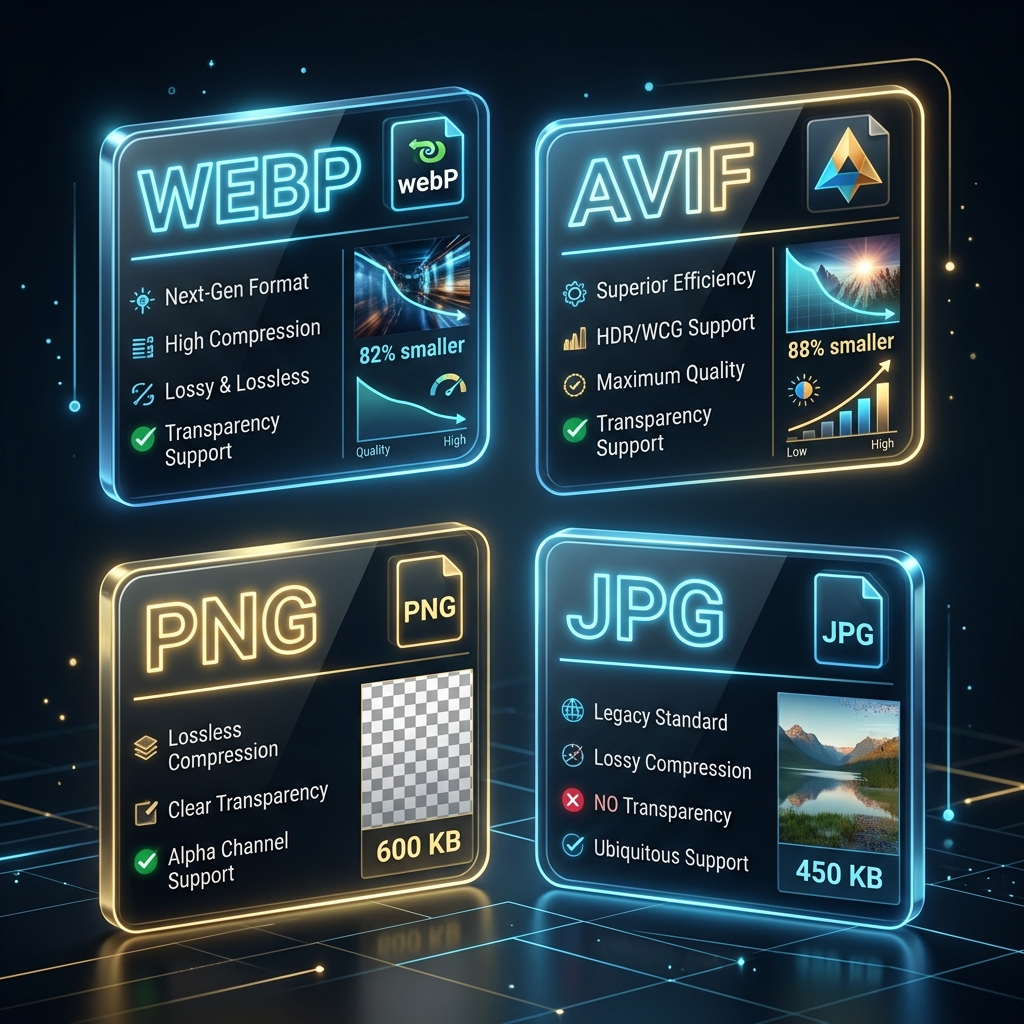
Different image formats serve different purposes on modern websites. Choosing the wrong format can cause slow page loading speeds, bloated server resource usage, or poor image quality. In this article, we map out the core characteristics of PNG, JPG, WebP, and AVIF so you can make informed decisions.
1. The Legacy Formats: JPEG and PNG
For decades, JPEG and PNG have been the twin pillars of digital imaging on the web:
- JPEG (Joint Photographic Experts Group): A lossy format designed strictly for photographic images. It does not support transparency or animation, but handles complex photographic colors efficiently.
- PNG (Portable Network Graphics): A lossless format designed specifically for digital graphics. It supports full alpha channel transparency (allowing transparent overlays) and keeps line art, text, and vector screenshots looking sharp. However, PNG files can be massive when saving complex photos.
2. WebP: The Modern All-Rounder
Developed by Google, WebP was created to replace both JPEG and PNG. It supports both lossy and lossless compression, full transparency, and animations (acting as a lightweight replacement for heavy GIFs). WebP files are generally **25% to 35% smaller** than equivalent JPEGs or PNGs without any noticeable loss in visual quality. Today, WebP is supported by over 98% of modern web browsers.
3. WebP and AVIF: The Next-Gen Compression Standards
WebP and AVIF represent next-gen compression standards. WebP reduces file sizes by up to 30% compared to JPEG, while AVIF provides up to 50% size savings. Pre-converting web assets to WebP improves page speeds and Core Web Vitals scores.
AVIF utilizes the AV1 video codec technology to compress static images, providing high quality at low file weights. While AVIF has slightly higher encoding times, its compression efficiency is ideal for heavy layouts. Converting files to AVIF and WebP ensures fast loading times. Modern browsers support next-gen formats natively, allowing developers to improve site speeds significantly. These standards also support transparency and animation, providing a versatile replacement for older file formats.
4. Transparency and Alpha Channel Layouts
Format selection depends on transparency requirements. PNG and WebP support alpha transparency, while JPEG does not. Use transparent WebP cutouts for e-commerce listings to keep file sizes low.
Embedded alpha transparency defines pixel opacity, allowing graphics to merge over dynamic layouts. PNG is the standard format for transparency, but WebP offers transparent cutouts at a fraction of the file weight. Converting transparent files to WebP keeps sizes low, ensuring fast page load benchmarks.
5. Managing Metadata and EXIF Tag Profiles
Digital camera photos contain hidden metadata (EXIF tags) like GPS locations and camera details. Stripping metadata before uploading files online reduces file weight and protects privacy. Use local canvas decoders to strip tags securely.
Camera profiles and metadata headers add unnecessary bytes to image files. Stripping this data reduces file sizes without impacting pixel detail. Pre-processing your photos before uploading them online keeps personal data private and improves loading speeds, ensuring compliant security workflows.
6. The Security Architecture of Local Client-Side Processing
Unlike traditional online image utilities that require uploading private assets to cloud servers, TinyImagefy performs all file calculations directly inside the user's browser runtime memory. By utilizing modern web APIs such as the HTML5 Canvas API, the File Reader API, and WebAssembly (WASM) modules, the website parses binary image streams locally. This serverless execution model eliminates transmission overhead, making it impossible for malicious entities or database leaks to compromise your personal documents, photography portfolio, or sensitive ID scans. All operations execute strictly within the local browser sandbox, providing enterprise-grade security for everyday workflows.
7. Compliance and Regulatory Benefits of Serverless Tools
Processing media assets locally aligns perfectly with strict international data protection regulations, including the General Data Protection Regulation (GDPR) in Europe and the California Consumer Privacy Act (CCPA) in the United States. Since no image files, EXIF headers, or metadata profiles are uploaded, stored, or processed on remote server arrays, TinyImagefy acts as a passive container. This means businesses, developers, and photographers can sanitize their visual assets, strip GPS coordinates, or crop passport photos without worrying about data processing agreements or regulatory compliance issues. Keeping your files offline is the ultimate way to maintain data sovereignty in a hyper-connected digital landscape.
3. AVIF: The Next-Generation Standard
AVIF (AV1 Image File Format) represents the next frontier in web image compression. Utilizing the AV1 video codec technology, AVIF can compress images up to **50% smaller** than JPEGs and **20% smaller** than WebP files. It handles complex lighting details, high dynamic range (HDR), and fine color transitions exceptionally well at extremely low file weights.
4. At-a-Glance Comparison Table
| Format | Compression | Transparency | Average Size Savings | Best Use Case |
|---|---|---|---|---|
| JPEG | Lossy | No | Baseline (0%) | General fallback photos |
| PNG | Lossless | Yes | Bloated (+200% for photos) | Logos, text screenshots |
| WebP | Lossy / Lossless | Yes | 30% smaller than JPG | Standard web images |
| AVIF | Lossy / Lossless | Yes | 50% smaller than JPG | High-perf site assets |
5. Summary Recommendation
To optimize your site, serve **WebP or AVIF** formats as your defaults. Use **PNG** only when lossless alpha transparency is required for complex graphics, and fallback to **JPEG** when supporting legacy browser setups.
Frequently Asked Questions
Yes — 100% free, unlimited, no signup. All tools work forever at no cost.
Never. Everything runs in your browser. Your files never leave your device.
JPG, PNG, WebP, AVIF, HEIC, BMP, GIF, SVG, TIFF, and PDF — across 30+ tools.
Yes — works perfectly on iPhone, Android, tablet, and desktop browsers.
The TinyImagefy team builds privacy-first browser tools for image processing. All tools run 100% locally — no uploads, no servers, no tracking. We've helped millions of users compress, convert, and edit images safely since 2024.
About Us →